
Overview
With this endpoint, you can retrieve the details of a single existing Queued Job. To consume it, you must be an Authenticated User. Once you have obtained a valid token, you must pass it to the call. Additionally, you need a valid ID of an existing queued job.
Endpoint
An example of this endpoint for server XX:
https://xx.api.sellercloud.com/rest/api/QueuedJobs/{id}
For your server, the endpoint will be:
https://{your_server_id}.api.sellercloud.com/rest/api/QueuedJobs/{id}
Request
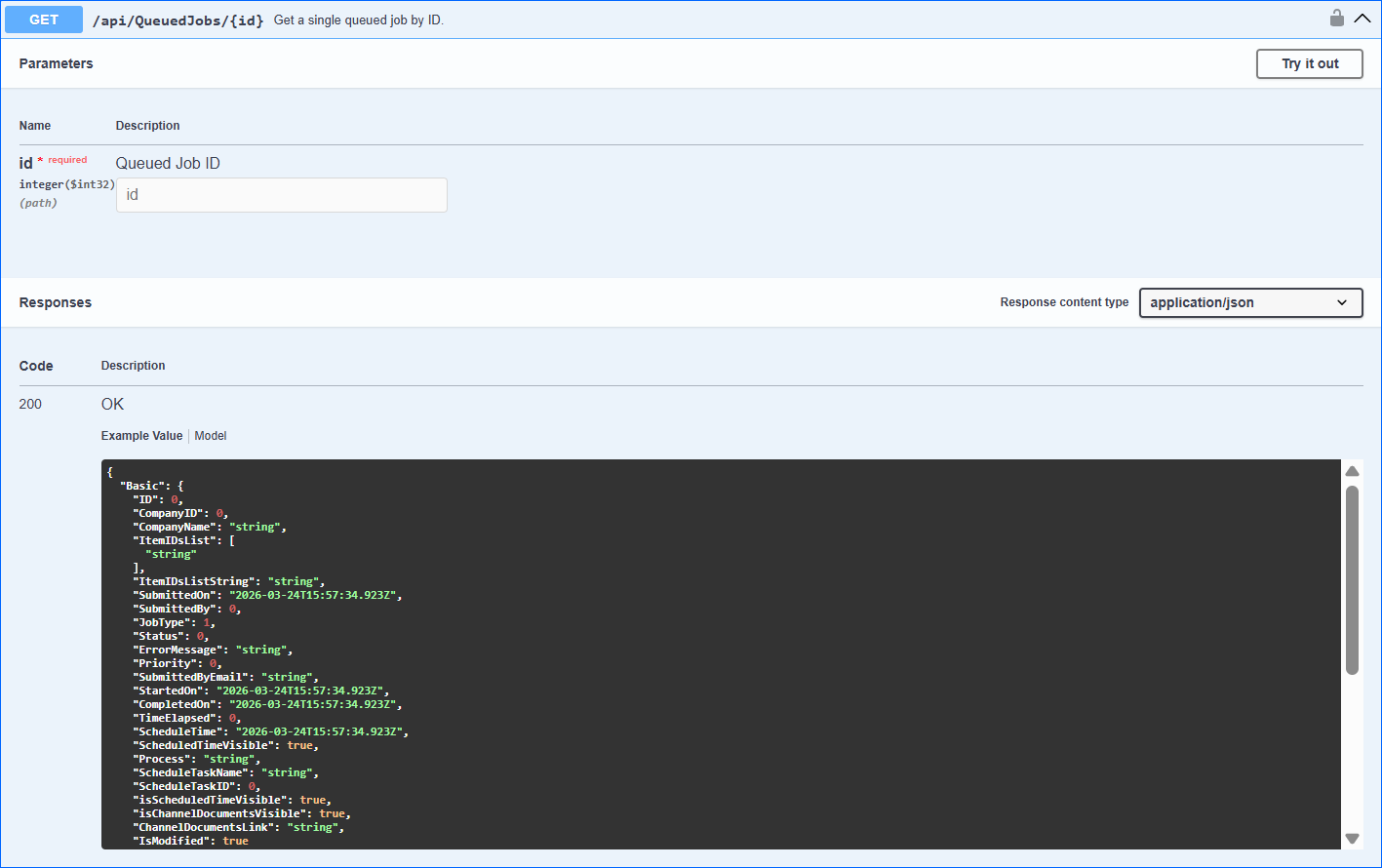
- Method Type: HttpGet
- Authorization: Use Bearer Token + token received from token authentication
- Header info: Content-Type: application/json
- Parameters: The ID of the existing Queued Job
| Parameter | Data Type | Description | Is Required |
| id | integer | The ID of the existing queued job. | Yes |
Response
- If the user is authenticated and provides a valid Queued Job ID, the response will be Status Code 200 => OK with the queued job metadata in JSON format.
- If the user is not authenticated, the response will be Status Code 401 => Not Valid Token.
- In case of an error, the response will be Status Code 500 => Internal Server Error.
Response Body
{
  "Basic": {
    "ID": 0,
    "CompanyID": 0,
    "CompanyName": "string",
    "ItemIDsList": [
      "string"
    ],
    "ItemIDsListString": "string",
    "SubmittedOn": "2026-03-26T10:17:29.001Z",
    "SubmittedBy": 0,
    "JobType": 1,
    "Status": 0,
    "ErrorMessage": "string",
    "Priority": 0,
    "SubmittedByEmail": "string",
    "StartedOn": "2026-03-26T10:17:29.001Z",
    "CompletedOn": "2026-03-26T10:17:29.001Z",
    "TimeElapsed": 0,
    "ScheduleTime": "2026-03-26T10:17:29.001Z",
    "ScheduledTimeVisible": true,
    "Process": "string",
    "ScheduleTaskName": "string",
    "ScheduleTaskID": 0,
    "isScheduledTimeVisible": true,
    "isChannelDocumentsVisible": true,
    "ChannelDocumentsLink": "string",
    "IsModified": true
  },
  "OutputFile": "string",
  "InputFile": "string",
  "TotalItemsInPhase": 0,
  "TotalProcessedInPhase": 0,
  "TotalPhases": 0,
  "CurrentPhase": 0,
  "TotalRecords": 0,
  "TotalProcessed": 0,
  "TotalSucceeded": 0,
  "TotalFailure": 0,
  "Parameters": [
    {
      "ParameterName": "string",
      "ParameterValue": "string",
      "Url": "string"
    }
  ],
  "PickListID": 0,
  "UploadFileRecordId": 0,
  "IsModified": true
}