
Overview
With this endpoint, you can retrieve the Execution History of a single existing Scheduled Task. To consume it, you must be an Authenticated User. Once you have obtained a valid token, it must be passed on the call.
You must also know the ID of a scheduled task. This can be seen from the Manage Scheduled Tasks page in Delta UI.
Endpoint
An example of this endpoint for server XX:
https://xx.api.sellercloud.com/rest/api/ScheduledTasks/{id}/ExecutionHistory
For your server, the endpoint will be:
https://{your_server_id}.api.sellercloud.com/rest/api/ScheduledTasks/{id}/ExecutionHistory
Request
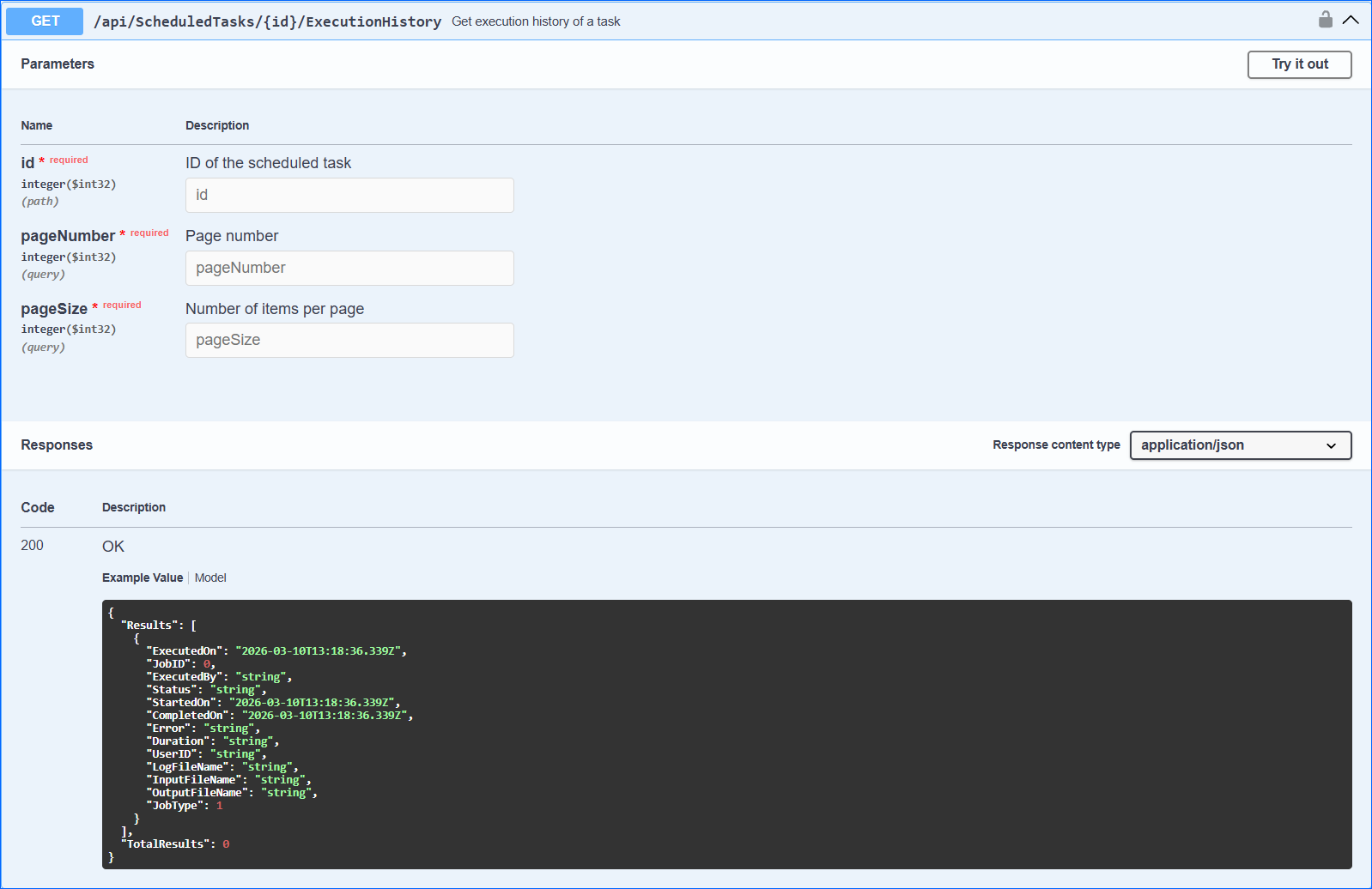
- Method Type: HttpGet
- Authorization: Use Bearer Token + token received from token authentication
- Header info: Content-Type: application/json
- Path Parameter: the existing Schedule Task ID
- Query Parameters:
| Parameter | Data Type | Description | Is Required |
| pageNumber | integer | Page number that will be retrieved. If the page number is not set in the request, then only 1st page will be pulled. | Yes |
| pageSize | integer | Number of results per page. If not set in the request, then the top 10 queued jobs from the execution history will be pulled. The maximum number of results per page is 50. | Yes |
Response
- If the user is authenticated and provides a valid page number and page size, the response will be Status Code 200 => OK and the task execution history metadata in JSON format.
- If the user is not authenticated, the response will be Status Code 401 => Not Valid Token.
- In case of an error, the response will be Status Code 500 => Internal Server Error.
Response Body
{
  "Results": [
    {
      "ExecutedOn": "2026-03-10T13:18:36.339Z",
      "JobID": 0,
      "ExecutedBy": "string",
      "Status": "string",
      "StartedOn": "2026-03-10T13:18:36.339Z",
      "CompletedOn": "2026-03-10T13:18:36.339Z",
      "Error": "string",
      "Duration": "string",
      "UserID": "string",
      "LogFileName": "string",
      "InputFileName": "string",
      "OutputFileName": "string",
      "JobType": 1
    }
  ],
  "TotalResults": 05
}
Demo in C#
static async Task Main(string[] args)
 {
 await GetExecutionHistory();
 }


static async Task GetExecutionHistory()
 {

 // Valid ID of a scheduled task can be found through Delta UI
 int task = 28142;

 // URL for downloading execution history
 string url = $"http://localhost:64158/api/ScheduledTasks/{jobID}/ExecutionHistory?pageNumber=1&pageSize=10";

 // Valid token must be provided here
 string token = "test token";

 using (HttpClient client = new HttpClient())
 {
 client.DefaultRequestHeaders.Authorization =
 new AuthenticationHeaderValue("Bearer", token);
 HttpResponseMessage responseMessage = await client.GetAsync(url);

 var content = responseMessage.Content;
 }
 }
public class ExecutionHistoryItem
 {
 public DateTime? ExecutedOn { get; set; }

 public int JobID { get; set; }

 public string ExecutedBy { get; set; }

 public string Status { get; set; }

 public DateTime? StartedOn { get; set; }

 public DateTime? CompletedOn { get; set; }

 public string Error { get; set; }

 public string Duration { get; set; }

 public string UserID { get; set; }
 }
public class ExecutionHistory
 {
 public IEnumerable Results { get; set; }

 public int TotalResults { get; set; }
 }